> For the complete documentation index, see [llms.txt](https://exobots.gitbook.io/docs/llms.txt). Markdown versions of documentation pages are available by appending `.md` to page URLs; this page is available as [Markdown](https://exobots.gitbook.io/docs/introduction/mechanics/core-rarity.md).
# Core rarity
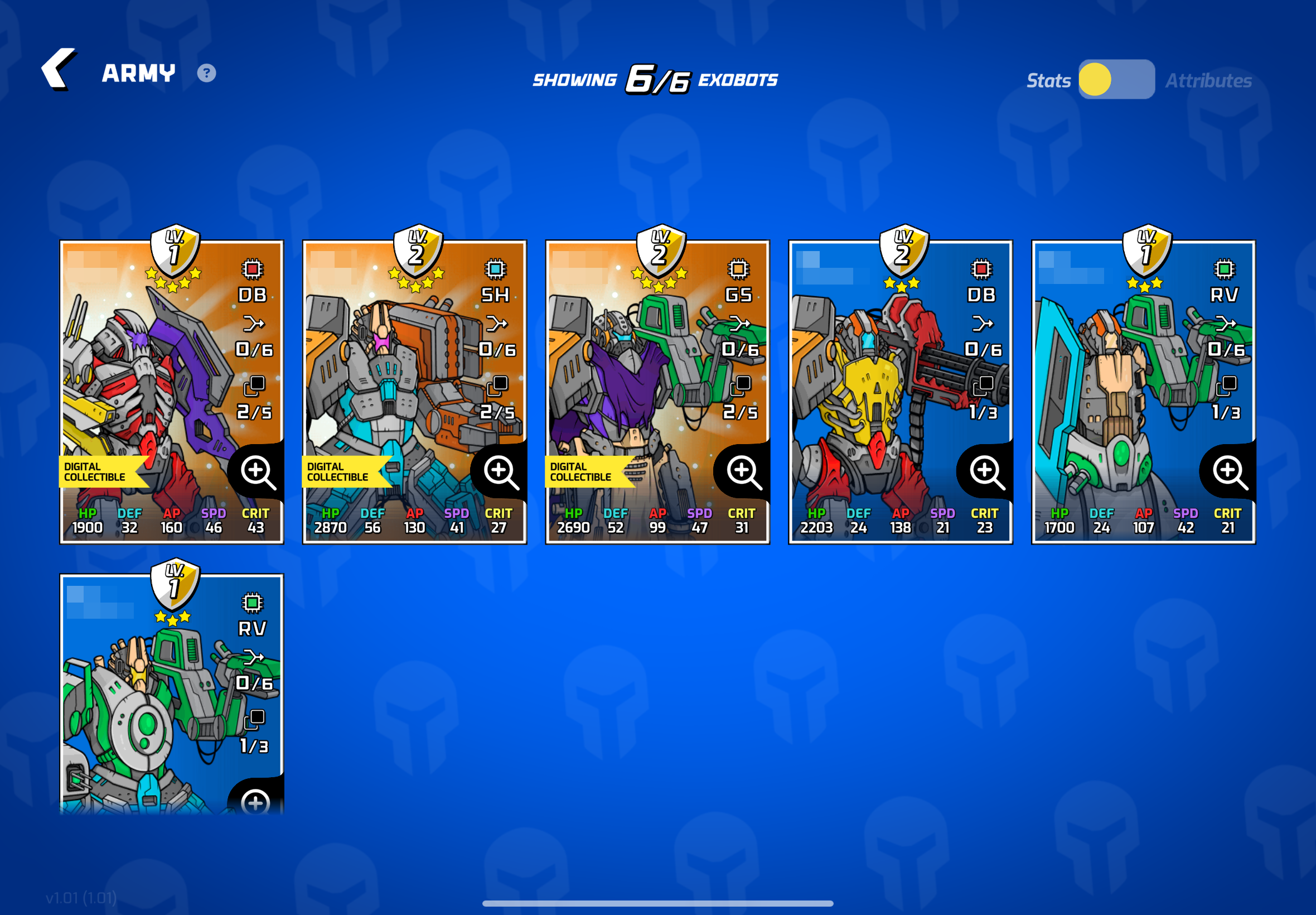
In the army screen you will see the classification of each Exobot, which is divided into **common**, **epic** and **legendary** (the quality of each can be easily distinguished by the background of each tab).
To place your robots in higher classes you will have to play any game mode and the more you do it, the more you will advance in their 5 stats (HP, DEF, AP, SPD and CRIT) which will allow you to advance levels.
**Differences of each class:**
* **Common:** these are the *simple robots*, the background of each Exobot is blue and has 3\*\*\* stars. You can equip this class with the maximum number of slots it appears in their tab, i.e. in this case you will be able to equip them with maximum 3 items
* **Epic:** the *intermediate class of robots*, the background of each one is violet and has 4\*\*\*\* stars. You can equip this class with the maximum number of slots it appears in their tab, i.e. in this case you will be able to equip them with maximum 4 items
* **Legendary:** it is the *upper class of Exobots*, their background is orange and has 5\*\*\*\*\* stars. In fact, it is always positioned at the top of the page. You can equip this class with the maximum number of slots it appears in their tab, i.e. in this case you will be able to equip them with maximum 5 items